
Schedule health
See exactly what is wrong, and clear it. Available
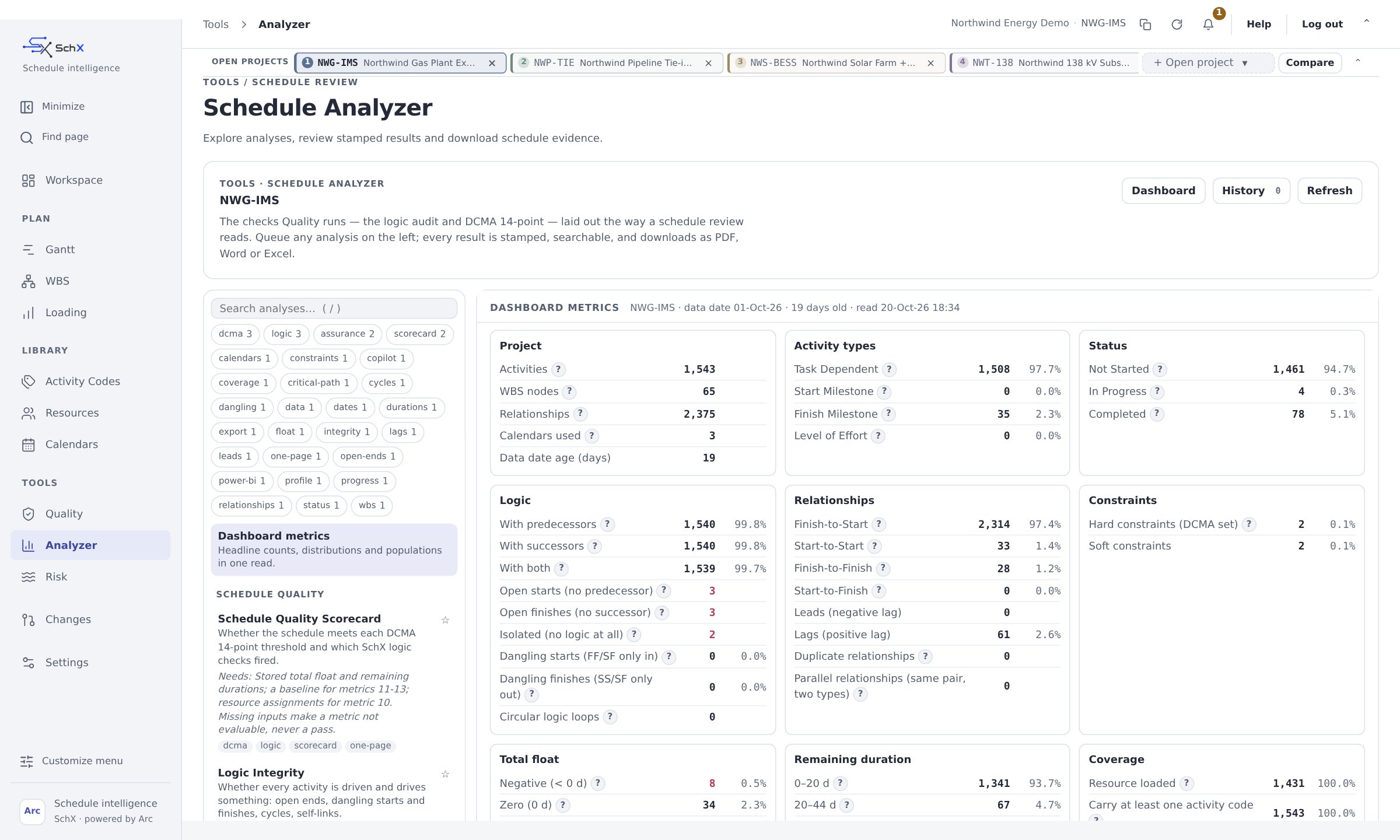
Schedule Analyzer
Dashboard metrics with the activities behind them, and one-click reports on quality, logic, relationships, constraints, float, durations, dates, status and critical path integrity. DCMA counts are checked against a reference Excel analyzer, and the few differences are documented.
Float analysis
Float bands, excessive float sorted by cause, WBS hot spots ranked by how much float sits there, and dangling logic.
Earned value
SPI, CPI and the BCWS curve, from the same data as the schedule.
Checks that need data you haven't loaded yet, such as resources, say so plainly. Everything else still runs.
From finding to fix
AvailableThe agent doesn't just report problems. It helps you clear them.
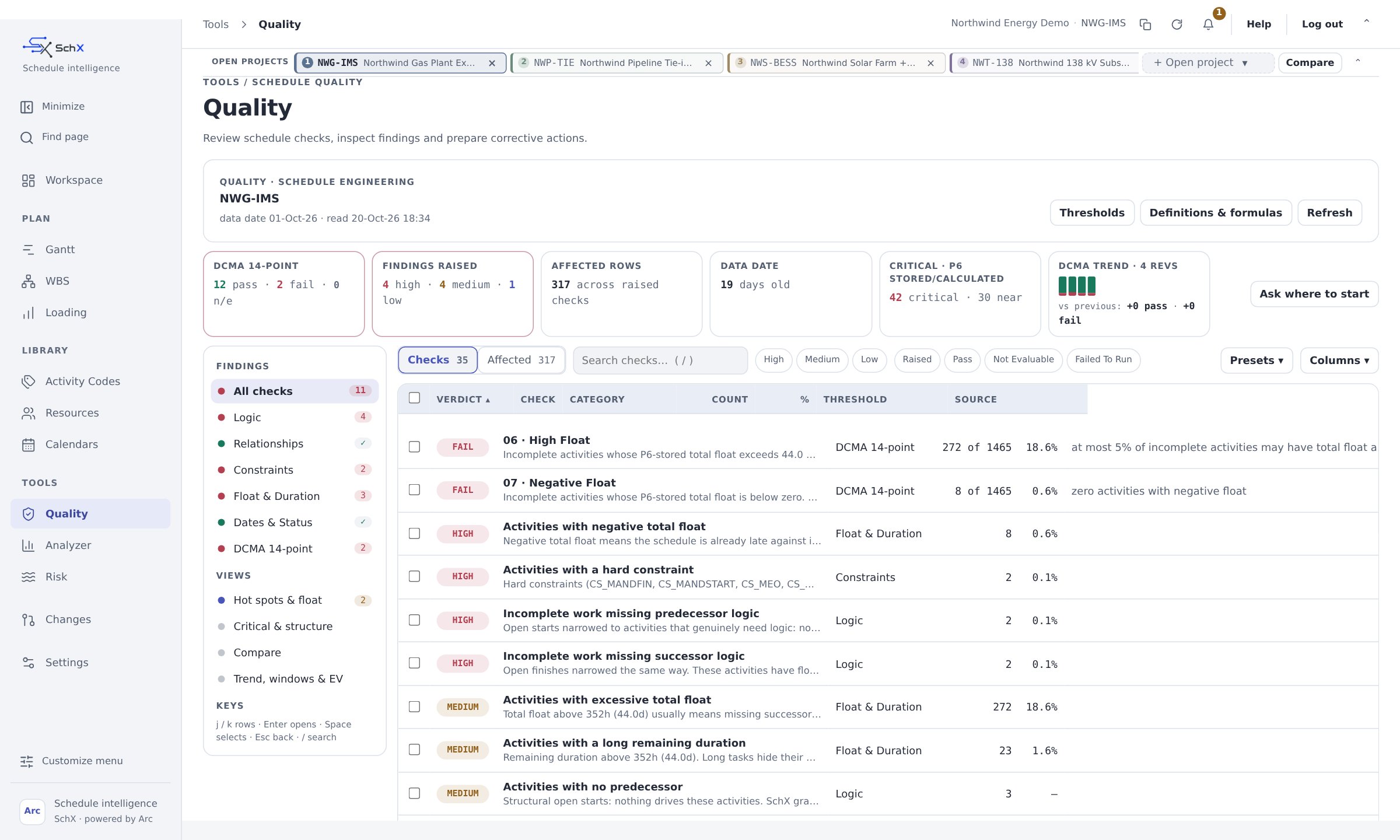
Every finding in Quality and the Analyzer comes with a way out. Ask the SchX agent to work through the list, and it turns each issue into a recommended proposal: what to change, why it fixes the problem, and what it will do to your dates. You review the proposal, approve what you agree with, and the check clears.
- 1
Find
Quality and the Analyzer flag each issue, from open ends and hard constraints to negative float, long durations and missing logic, with the exact activities behind it.
- 2
Explain
The agent explains each finding in plain English: why it matters, what is causing it, and how it affects the critical path.
- 3
Propose
It drafts a recommended fix for every item: add the missing link, replace a hard constraint with logic, split a long duration, or correct a lag. Each fix comes with its reason and the dates it would move.
- 4
Approve
The fixes arrive as one staged change set. You keep the ones you agree with, drop the rest, and nothing is applied until you say so.
- 5
Re-check
Arc reschedules, the checks run again, and the cleared findings drop off the list. Every change is logged and can be undone.
| Finding | What the agent proposes |
|---|---|
| Activities with no successor (open ends) | The most likely successor for each one, based on the WBS, codes and existing logic, with the float it would release or consume. |
| Hard constraints holding dates in place | Logic links that achieve the same date honestly, so the constraint can be removed without hiding float. |
| Negative float on procurement | The driving chain behind it, and options to recover: resequence, overlap with a start-to-start link, or flag the delivery date for the supplier. |
| Long remaining durations | A split into measurable steps, using the matching section of your template library. |
| Excessive float | The missing successors that make the float real, activity by activity. |
Risk
A risk model in minutes, not weeks. Available
SchX reduces a large schedule to around 100 elements that behave like the whole thing. Driving paths are kept, your risk register is mapped on, and your source schedule isn't touched.
In tests on two schedules of 801 and 1,237 activities, the reduced model finished within one day of the full schedule.
Reduce
About 100 elements that keep the driving paths.
Map risks
Each risk attached to the work it affects.
Simulate
Monte Carlo SRA with P-dates, a tornado chart and criticality index.
Labeled
Every result marked as SchX-computed.
Ready to issue.
Word
Ready to edit.
Excel
Ready to analyze.
Power BI
A flat data file for dashboards.
Reports
One report, four outputs. Available
Every report comes as PDF, Word or Excel, with your branding and a footer showing its source and when it ran, plus a flat data file for Power BI.
Controlled change and Surgery
Every change approved. Every change reversible. Available
People and assistants go through the same steps.
- Stage
- Preview
- Approve
- Apply
- Log
- Undo if needed
Surgery
Big restructures done in guided phases: analyze, plan, simulate, review, stage, approve, validate and checkpoint, with a snapshot taken first. Re-sequencing, logic repair and WBS reorganization become small, checked steps instead of one risky edit.
Snapshots
Pinned, restorable and kept, so you can always go back to an approved state.
Quick edits
Edit in place when you want to. It still goes through the same logged process.